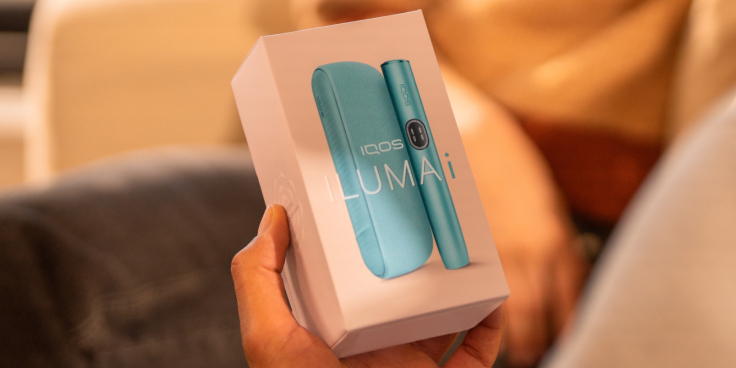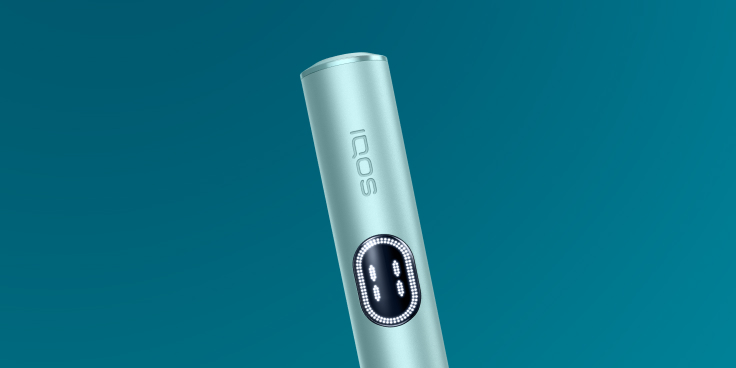
Inserting SMARTCORE STICKS™️
Make sure you only use SMARTCORE STICKS™ with your IQOS ILUMA i. They are single use, so ensure you do not reinsert a used one.



Here’s how to use your IQOS ILUMA-i for the first time.
1. Press and hold the ON/OFF button of your Pocket Charger for 4 seconds and then release; Your Pocket Charger Status Lights and Holder Status Lights will turn ON slowly.
2. Insert the Holder in the Pocket Charger and close the wrap to charge the Holder. The Holder Status light will indicate the battery level of your Holder.
3. Before first use, fully charge your Pocket Charger for approx. 135 min following the enclosed Safety Warning & Instructions.
4. To start an experience, take the holder out of the pocket charger and insert a SMARTCORE STICKTM up to the filter line, until Holder vibrates.
5. Preheating happens automatically or by swiping up the touch screen, which will show the preheating status. The device is ready after the 2nd vibration.
6. Two horizontal LEDs indicate that the device is ready for 2 uses. A horizontal LED indicates that the device is ready for 1 use. Depending on the remaining charge, further use may be available. In this case the above option will be displayed again. *The circular LED moves anti-clockwise to indicate the time remaining at the end of the experience for a total duration of up to 6 minutes. When the LED is no longer visible the experience is over.
*The third use depends on the remaining charge of the device. Available in Performance mode only. If Pause was activated during one of the first two uses, the third use will not be available.
7. Once your experiences finished, remove the used SMARTCORE STICK™ and dispose as per Safety Warnings & Instructions.
8. Insert Holder into Pocket Charger to recharge.
Watch the tutorial to learn more on how to use your IQOS ILUMA i.

Follow these easy steps to ensure the optimal charging for your device:
1. Place the Holder in the Pocket Charger and ensure your device is turned ON.
2. Plug the AC Power Adaptor (sold separately) and cable to your Pocket Charger and then to a wall power outlet for 135 min for full charge.
3. Check the level of charge of your device, by pressing and releasingthe pocket charger button. While charging, the status light blinks, indicating the level of the charge.
Watch the tutorial to learn more on how to charge your IQOS ILUMA i.

Pause mode
Touch Screen will indicate whether the Pause mode is available, as 2 vertical lines will appear.
Pause Mode can be used once in Performance Mode in the first or second consecutive use, and can be activated within the first 3 minutes, or 8 puffs of the experience.
1. Swipe DOWN across the entire Touch Screen to pause experience and 4 vertical lines will appear.
2. To resume the experience, swipe UP across entire Touch Screen and wait for the preheating. Vibration and Light Guide will indicate Holder is ready to resume use.

Flex Battery
Flex Battery is a feature that can be managed in the IQOS App and you can choose 2 modes:
1. Performance Mode (default).
allows 2 consecutive uses with a pause for one of them or up to 3 consecutive uses without a pause*.
2. Eco Mode (to be activated via the IQOS App).
allows 1 use without a pause. With this mode you can optimize the duration of the holder**.
*After the second experience, the screen will show another experience available (horizontal LED in central position). When no other experiences are available the screen will indicate the number '0'.
**Eco mode, if set for the entire life of the holder and based on individual use, could optimize battery life.
Make sure you only use SMARTCORE STICKS™ with your IQOS ILUMA i. They are single use, so ensure you do not reinsert a used one.
.png?d=0)
Charge your IQOS ILUMA i Pocket Charger with compatible AC Power Adaptor (sold separately) and cable on a daily basis.
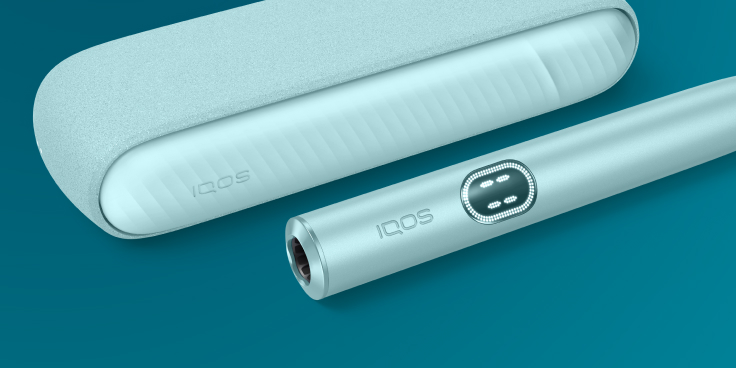
Connect your IQOS ILUMAi to the IQOS APP and simply enable/disable the smart features. You can also adjust the Touch Screen brightness and choose your holder’s battery mode.

IQOS ILUMA™ is designed to be used only with SMARTCORE STICKS™. Do not use IQOS ILUMA™ and SMARTCORE STICKS™ with previous IQOS™ generations, as this may cause damage to your device. Do not ingest or disassemble SMARTCORE STICKS™. This product contains a sharp metal part which can cause serious injury if swallowed. Keep out of reach of children.